Business automation: where to start and what AI agents have to do with it
Business automation isn't about "rolling out software" — it's about removing manual routine from your processes: data lands where it belongs on its own, reports assemble themselves without people, and questions like "how much money do we have and what's in stock" stop costing someone half a day. Here's what automation is made of in 2026, where to start, and which mistakes eat the budget.
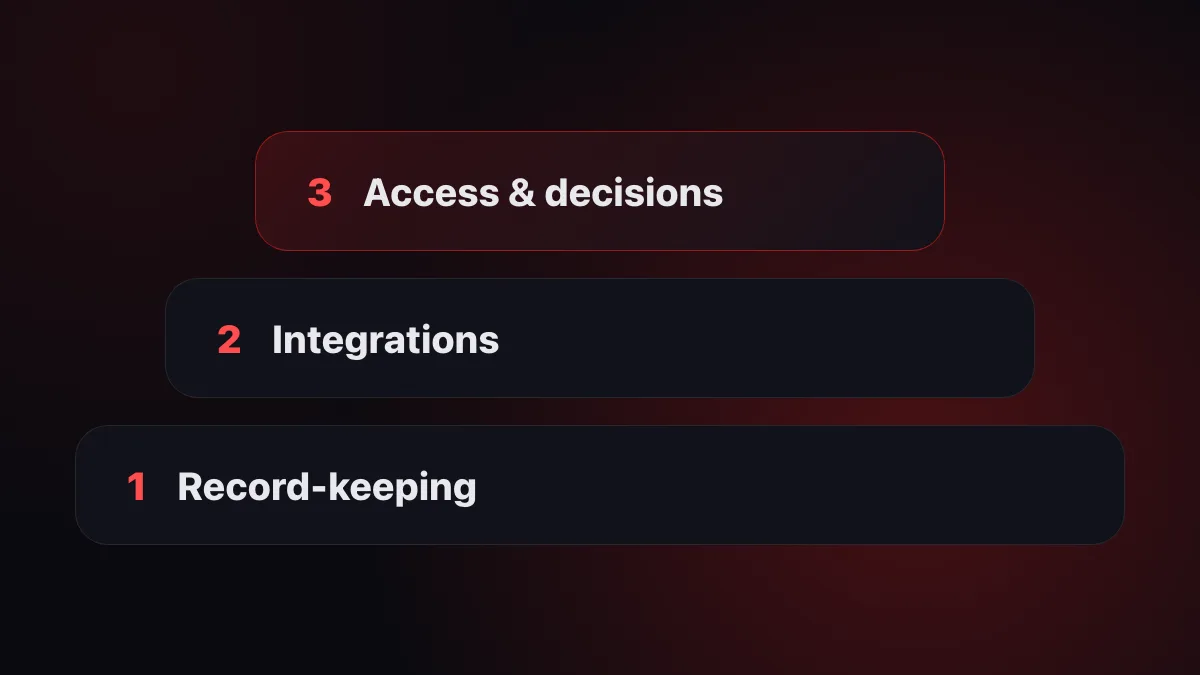
Three levels of business automation
Almost any company can be described as three layers. Trouble starts when people try to build the top layer without the ones below.
| Level | What it is | Sign that it's in place |
|---|---|---|
| 1. Accounting | Data is recorded in systems: 1C, CRM, inventory, POS | The figures live in software, not in a notebook and someone's head |
| 2. Integrations | Systems are connected: an order from the CRM lands in accounting, a payment — in the report | No one carries data between programs by hand |
| 3. Access and decisions | Any question to your data answered in seconds; routine actions handled by an AI agent | The owner asks in plain language and gets an answer, instead of ordering a report |
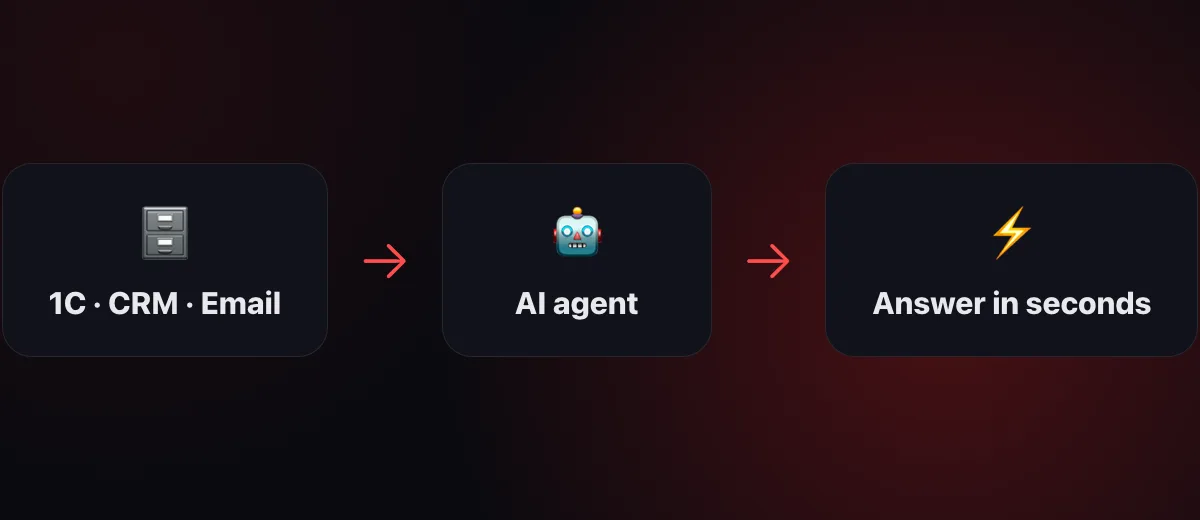
Classic automation spent decades on the first two levels. What's new in 2026 is the third: AI agents connect to the systems you already have and remove the biggest tax on your time — digging up information and the routine between programs.
Where to start: a one-day routine audit
- Write down the questions people ask most often. "How much did we earn", "what's in stock", "who owes us and how much", "where is the deal". Each of those questions costs someone minutes or hours today.
- Write down the manual data transfers. From an email into the CRM, from 1C into a spreadsheet, from a spreadsheet into a report — every such link is a candidate for integration.
- Assess layer #1. If there's no accounting — start there: you can't automate a void.
- Pick one process with the biggest pain and automate only that. One process succeeding sells automation to the rest of the company better than any presentation.
Typical scenarios by department
Finance
Revenue, profit and payments — on demand, not on Fridays. Tracking invoices due for payment, receivables reminders, anomalies in expenses — an AI agent spots them before the accountant does, because it watches all the time.
Sales
Deals from email and messengers land in the CRM without manual entry; the agent answers "which deals are stuck and with whom", prepares commercial proposals from the company's template.
Inventory and purchasing
Stock levels in real time, an alert when they drop below the minimum, a draft order to the supplier. For restaurants and retail — reconciling POS sales against inventory consumption.
The owner
One question in plain language instead of three phone calls and two reports. The company's data stops depending on any one employee — we covered how that works separately.
The role of 1C: connect, don't replace
In Kazakhstan and neighboring countries, the center of accounting is almost always 1C. A common mistake is assuming automation means "migrating off 1C to something trendy". Expensive, painful and unnecessary: 1C does its job well — accounting.
The working scheme is different: 1C remains the source of truth, and an access layer connects on top — integrations and an AI agent that pull answers out of accounting and spare people from digging through configurations. The same principle works with Bitrix24, amoCRM, r_keeper, StoreHouse and spreadsheets.
Five mistakes that eat the budget
- Automating chaos. If a process isn't documented and the data isn't kept, software will record the chaos, not fix it.
- Starting with custom development. Turnkey makes sense when ready-made tools have hit their ceiling — not instead of them.
- Replacing every system at once. A big migration paralyzes work for months. Connect to what you already have.
- Forgetting the people. A tool that's awkward to use quietly dies. Plain language is the lowest barrier to entry there is.
- Not measuring the effect. Before you start, record how many hours a week go to routine — otherwise you'll have nothing to prove the benefit with.
How to choose the software: a checklist
- Does it connect to your systems (1C, CRM, email, spreadsheets) — or demand a "migration"?
- Launch in days — or a months-long project with implementers?
- Is it clear to employees without training? The ideal is questions in plain language, in Russian and Kazakh.
- What about security: read-only access by default, important actions confirmed by a human, a history of operations.
- Transparent subscription pricing — or "price on request"?
Frequently asked questions
How much does business automation cost?
It depends on the level. Order in your accounting — the cost of 1C plus an implementer's hours. A ready-made AI platform on top of your existing systems — a subscription: for example, 1Cifer plans start at 150,000 ₸/month. Custom turnkey development — from several million tenge and months of work.
Do I need to replace 1C?
No. The modern approach is to connect to 1C, not replace it: accounting stays, and access to the data becomes human.
Where should a small company start?
With the one process that eats the most time — usually the questions "how much money do we have, what's in stock, who owes us". Cover questions first, then automate actions.
Turnkey or ready-made software?
Start with ready-made: results are visible within days. Custom development is justified when your processes are truly unique — by that point you already know your requirements exactly.
Read next: What is an AI agent — in plain words · AI Accountant: A New Level of Accounting Quality
Automation that starts with questions
1Cifer connects to 1C, Bitrix24, r_keeper, email and spreadsheets — and covers the third level of automation: answers about your company's data in plain language, in seconds. Launch in minutes, no programmers.
Request trial access