CRM Without Manual Entry: How an AI Agent Runs Bitrix24 and amoCRM on Data from 1C, Telephony and Email
A CRM goes empty not because managers are lazy. Customer data is born outside the CRM — on the phone, in email, in WhatsApp, in 1C — and someone has to carry it over by hand. After a call the manager promises to “fill it in later”, an inquiry email sits in the inbox, a payment is visible only to the accountant. The AI agent takes over exactly this transfer: the contact, the deal, the note and the task appear in Bitrix24 or amoCRM on their own, and the manager approves and sells.
Where CRM data comes from — and who carries it over
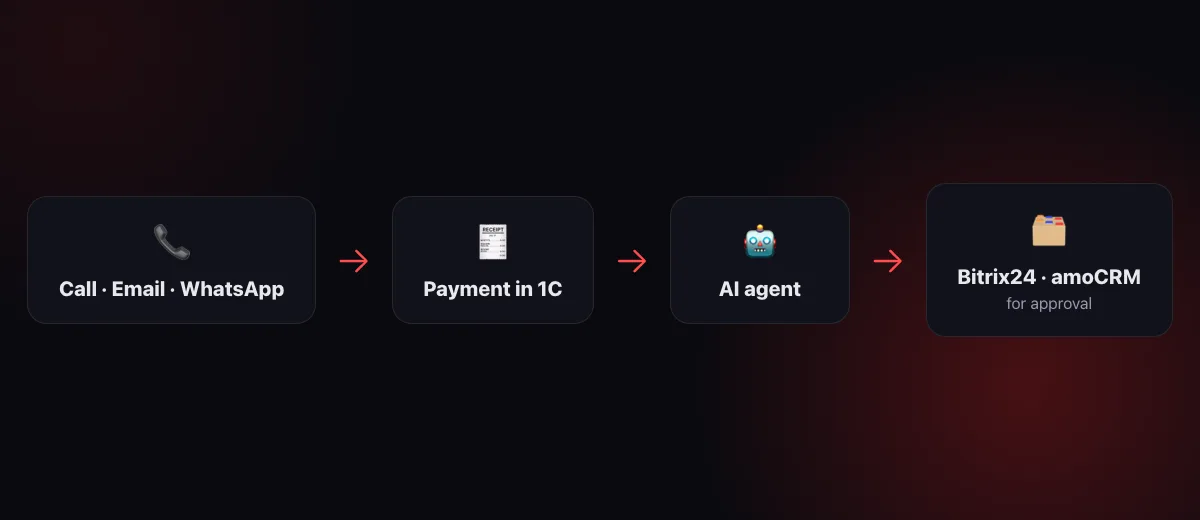
Look at a sales team's day not as “working in the CRM” but as a stream of events, each of which someone has to bring to the card:
| Event | Before | With the AI agent |
|---|---|---|
| Incoming call | After the call the manager creates the contact and the deal “when there's time” | Contact, deal, a short summary of the conversation and a next-step task — right after the call |
| Email or WhatsApp message | The inquiry sits in the inbox until someone notices | A deal, or a note on an existing one — the moment it arrives |
| Invoice paid in 1C | The manager asks the accountant “has it been paid?” | The deal moves to the “paid” stage, with a note in the card showing the amount and date |
| Shipment in 1C | The customer calls to ask where the order is | A note in the deal and a task for the manager to notify the customer |
| Deal with no movement | Surfaces at the monthly meeting | Morning digest: which deals are stuck and with whom |
Not one line on the right removes the manager. Each one removes a reason empty cards used to appear in the CRM.
Call → deal
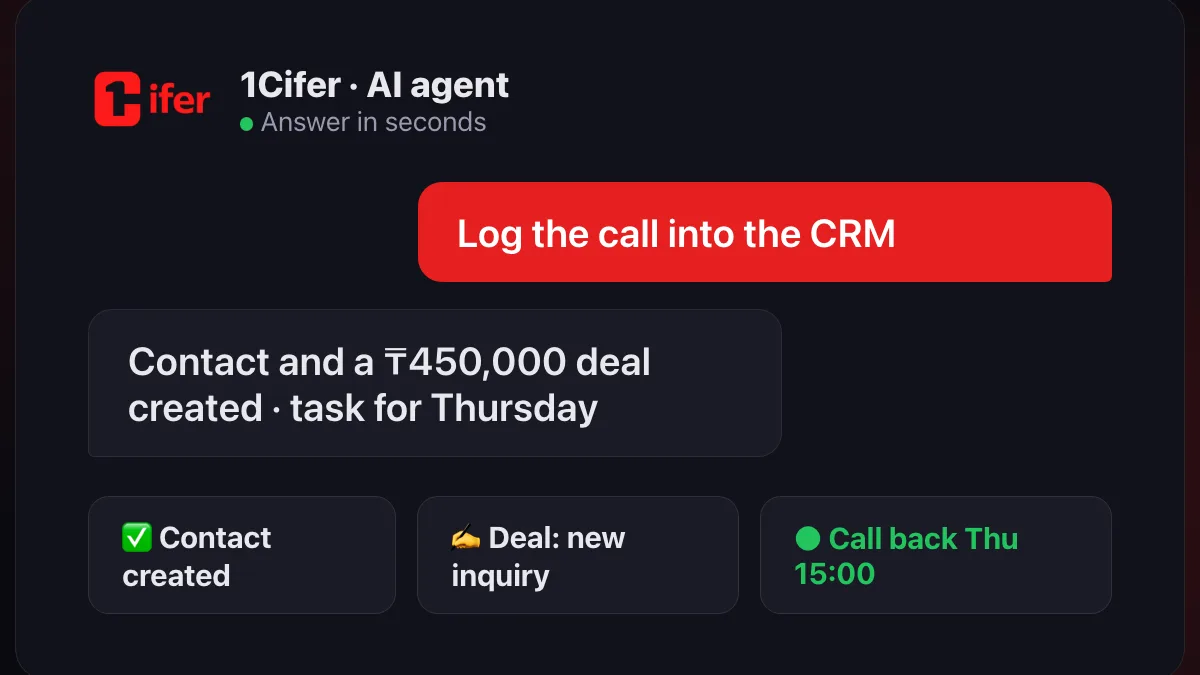
Telephony is connected to 1Cifer, so the call recording reaches the agent as soon as the handset is down. The agent works through the conversation: who called, what they need, what was agreed, when to call back. Then into the CRM: a new number becomes a contact, interest becomes a deal at the first pipeline stage, agreements become a note, and “let's talk Thursday afternoon” becomes a task with an exact due time. If the contact already exists, the agent does not create a duplicate: it finds it by number and adds the history to the existing card.
The manager gets one message: “From the call with +7 700 … I created a contact, a ₸450,000 deal and a task for Thursday 15:00 — approve?”. One “yes” — and the card is filled in more thoroughly than the manager would have filled it from memory in the evening.
Emails and messengers → CRM
An inquiry by email, a WhatsApp message, a website form — until the agent, they all share one fate: someone has to notice them, open them and retype them into the CRM. The agent reads incoming messages itself. A new customer — a deal with a contact and the text of the inquiry in a note. A known customer writing about a current deal — the note goes into that deal, not a new one. Asking for an invoice — the agent finds it in 1C and prepares the reply; the manager only has to send it.
1C → CRM and back
The most common gap between departments is payment. The accountant sees it in 1C, the manager does not, and the customer hears “let me check”. The agent sees both systems: a payment arrives for an invoice from a deal — the deal moves to the next stage, a note with the amount and date appears in the card, the manager gets a message. Shipped — the same, plus a task to notify the customer.
In the other direction: the deal is won — the agent creates the counterparty in 1C from the details in the card and prepares the invoice. The manager does not retype the tax ID from the CRM into 1C, the accountant does not ask about the terms again. Everything the agent creates in accounting goes through approval — as described in the article about the AI accountant.
Tasks, reminders and a tidy database
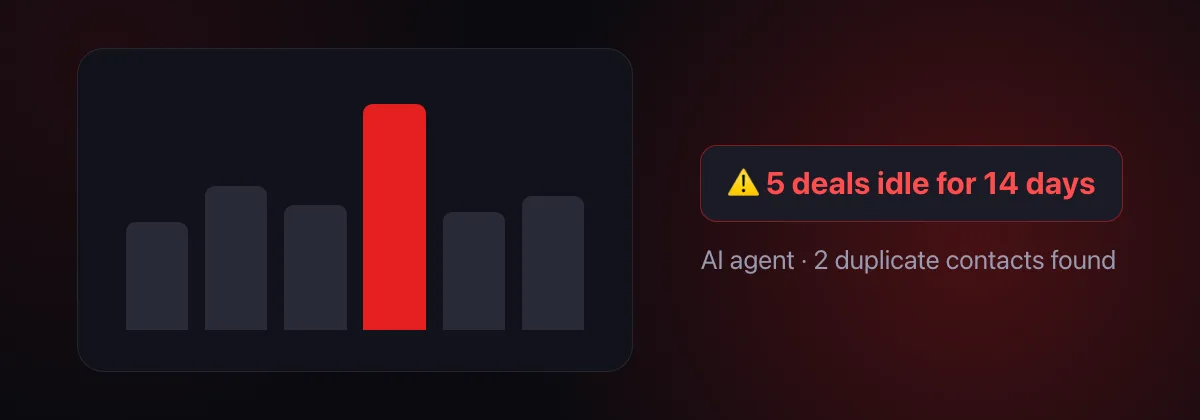
When data reaches the CRM by itself, you get what the CRM was set up for in the first place — the picture. The agent watches it constantly: which deals have no next step, which tasks are overdue, where two contacts share one number, which deal has an empty budget. In the morning the manager receives a digest — “5 deals idle for two weeks, 3 overdue tasks with Arman, 2 duplicate contacts” — and it is no longer a post-mortem but a short list of what to fix today.
And the other way round: the agent sets tasks from agreements in calls and emails, closes completed ones with a result, reminds about deadlines. The manager stops being the secretary of their own pipeline.
Bitrix24 and amoCRM: same behaviour, different connection
The agent behaves the same in both systems: deals, contacts, companies, pipelines and stages, tasks, notes, change history. The only difference is how they connect. Bitrix24 connects as a portal application: the administrator copies two addresses and the keys from the application card — the wizard in 1Cifer shows what goes where. amoCRM connects as an integration in your own account: the administrator creates it in amoMarket in a couple of minutes, pastes the redirect address from the wizard and copies the ID and secret key. In both cases the keys stay with your company — 1Cifer has no shared “keys for everyone”.
Bitrix24 events — a new deal, a stage change, a comment — already reach the agent on their own, and it reacts without being asked: reports in the chat, sets a task, updates 1C. The same events for amoCRM are coming in the next update; for now the agent works with amoCRM on request and on schedule — the morning digest and the check for stalled deals run either way.
What the agent never does without approval
- It does not change the CRM silently. Every creation and change — a deal, a contact, a task, a note — is shown to the manager and waits for a “yes”. Declined — nothing is written.
- It gets no more rights than granted. Read and write are enabled separately and per section: you can let the agent manage tasks and notes but not touch deals.
- It hides no traces. Every record shows who made it, the agent or a person; the agent's action history is kept.
It is the same control design as in the other 1Cifer modules — more in the article about AI agents.
Where to start
- Connect the CRM. Bitrix24 or amoCRM — the wizard in 1Cifer walks you through it; you need a CRM administrator and ten minutes.
- Connect the sources. Telephony, email, WhatsApp, 1C — each as it becomes ready; the agent starts working with just one.
- Approve for a week. The agent proposes records, managers accept or correct — and see where it is accurate and where it is still learning.
- Turn on the morning digest for the head of sales — and meetings get shorter.
Frequently asked questions
Will the AI agent replace the sales manager?
No. The agent takes over data transfer: contacts, deals, notes and tasks from calls, emails and 1C. Talking to the customer, deal terms and discount decisions stay with the manager — who simply gets the time for them.
What if the agent makes a mistake in a card?
Every change in the CRM is made with approval: the agent shows exactly what it will create or change and waits for a “yes”. Declined — nothing is written. Every record shows who made it, the agent or a person, and it can be corrected.
Can the agent be given read-only access?
Yes. Write access is enabled separately from read access, per section: deals and customers, tasks and notes. An agent allowed only to read answers questions about the CRM and changes nothing.
How is it billed?
By tokens, like any request in 1Cifer: creating a deal from a call or adding a note are small requests. Usage examples are on the pricing page.
Read next: AI Accountant: A New Level of Accounting Quality · How to run a company with AI agents · What is an AI agent — in plain words
Let the CRM fill itself in
1Cifer connects to Bitrix24 or amoCRM, telephony, email and 1C in minutes. Calls, emails and payments land in the deal card by themselves — and the decisions stay with your managers.
Request trial access