Every Account of Every Legal Entity in One Chat: Alatau City Bank Is Connected to 1Cifer
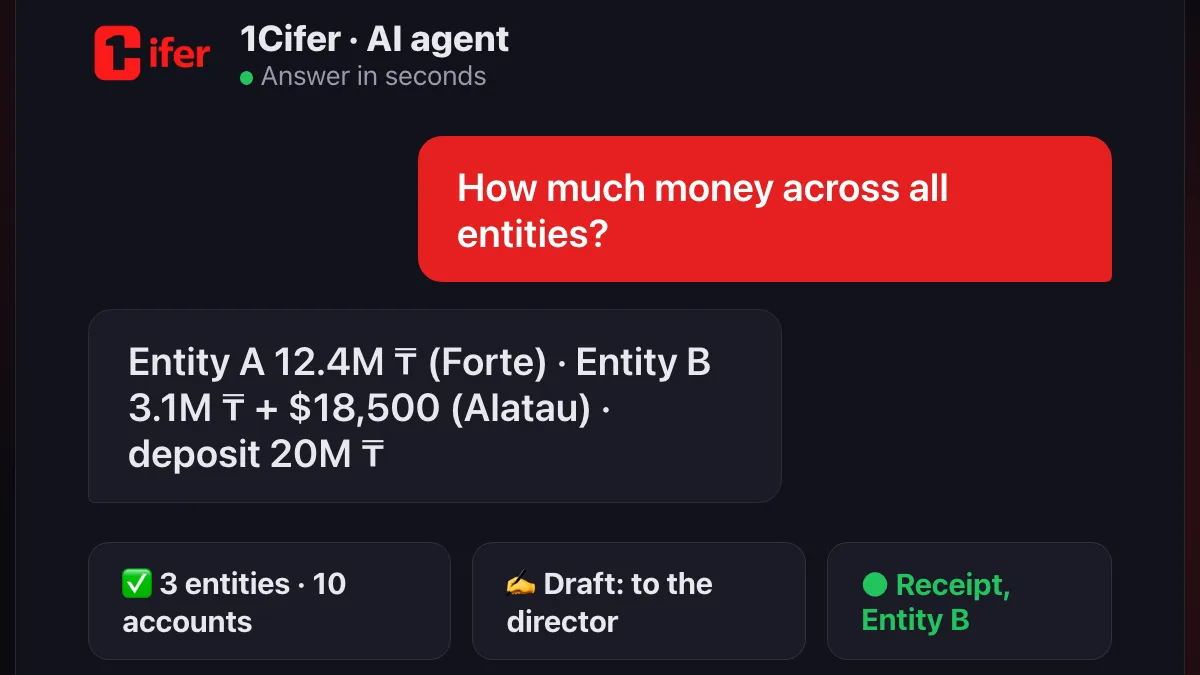
A company of three legal entities keeps its money on ten accounts in two banks: tenge, dollars, a deposit, a payroll account. The question “how much money do we have?” means ten sign-ins to two bank clients and a spreadsheet that is stale by lunch. Now it is one question to the agent. 1Cifer has connected a second bank, Alatau City Bank, through its official Business API: connecting takes five minutes without a bank manager, the account list arrives by itself, and the agent keeps balances, statements and incoming payments of every entity in one chat. Signing payments stays with the director in the bank cabinet.
Why a bank client does not scale
With one entity and one account, a bank client is enough. A group breaks that in three ways at once: there are several entities, each with its own keys and cabinet; each has several accounts, including foreign-currency and deposit ones; the banks differ, and each has its own statement format. The finance lead assembles the picture by hand, and the picture lives until the first payment. Here is what changes when the agent reads the accounts:
| Question | Before | With the AI agent |
|---|---|---|
| How much money the group has | Sign in to every cabinet, add up in a spreadsheet | Balances of every account of every entity in one answer, split by currency and bank |
| What came in today | Check statements one by one | The agent notices receipts on any account itself and writes to the feed: who, how much, what for |
| Where the dollars are | Remember or search | “How much in foreign currency?” — USD and EUR accounts across all entities |
| What is on deposit | A separate section of the bank client | Deposit accounts in the same list, with balances |
| Did the client pay Entity B | Ask that entity’s accountant | An answer from that entity’s statement in seconds, from anywhere in the group with read access |
| Paying a supplier from Entity B | Open the right cabinet, fill in the details | The agent prepares a draft in that entity’s bank, the director signs in the cabinet |
Alatau City Bank connects in five minutes without a manager
Alatau City Bank has a Business API, and the company obtains the keys itself: in the Alatau Business cabinet open “Business API”, connect an application with access to accounts, statements and payments, and copy client_id and client_secret. They are shown once, by the bank’s design. In 1Cifer an administrator picks the bank, pastes the keys, and we verify the sign-in before saving: a wrong key is not stored silently to surface a week later on the first question.
Then the bank returns the account list itself, and this is the main difference from the first bank we connected: Forte has no list in its API, so 1Cifer collects accounts from payments and statements. Here you press “Get accounts” and see every open account of the entity with balances, including foreign-currency and deposit accounts. Names you gave accounts by hand (“Main”, “Payroll”) survive every refresh.
One agent for two banks
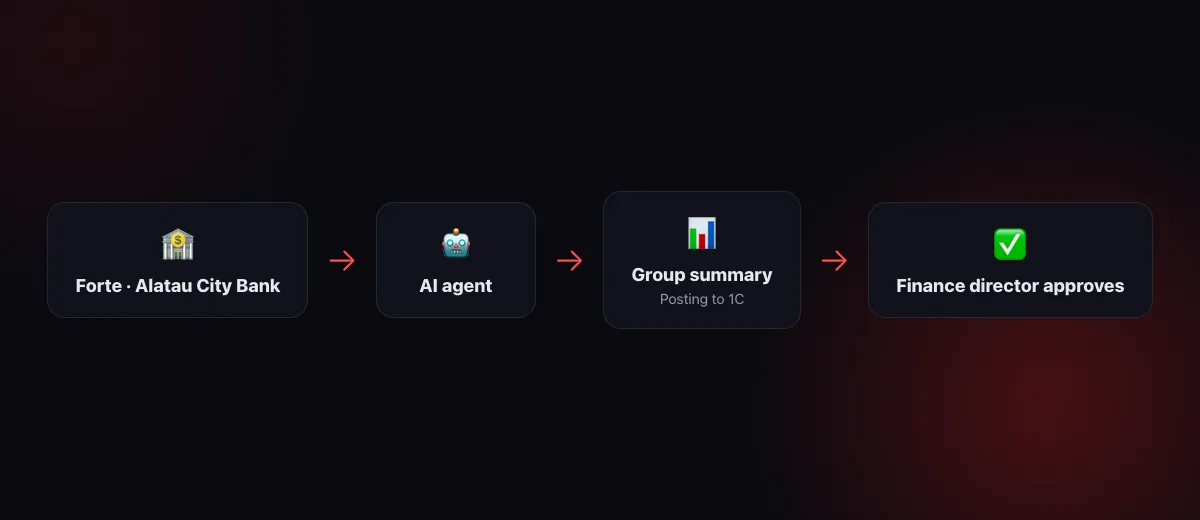
The agent does not care which bank holds an account. The questions are the same: balances, a statement for a period, receipts, a payment order. The account number itself says which entity and which bank stand behind it, so in the chat there is no need to clarify “this is in Alatau” or “this is in Forte”. Statements from both banks arrive in one shape: date, direction, amount, counterparty with BIN and account, purpose and payment purpose code. Reconciliation with 1C and posting work the same way we described in the article about Forte Bank.
The agent wakes up only when something changed
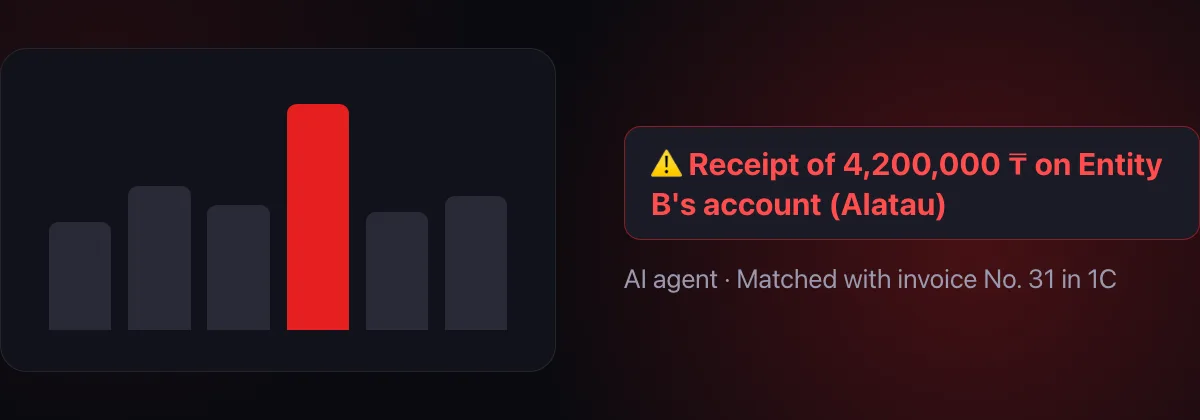
“Watching the accounts” does not mean running the agent every ten minutes. 1Cifer polls the bank itself, without AI, on the schedule you choose for each entity: once a day in the morning, morning-noon-evening, every two hours, every hour or every ten minutes during working hours. A poll pulls the statement and balances, remembers operations and compares them with what it has already seen. Nothing new, nobody disturbed. A receipt, a debit or a signed payment appears, and the agent gets an event with the substance: who, how much, what for. Then it reconciles the operation with the books and writes to the notification feed or to the chat you subscribed to that entity’s events.
Access per entity, not “all or nothing”
The owner and administrators see every bank of the group. Everyone else gets access per position, department or person, and now with a choice: all banks of the company or one entity. The chief accountant of Entity B gets “prepare payments” for their entity and does not see Entity A’s accounts. The finance director gets “read” for all. A position’s agent inherits exactly its level.
What the agent does not do
- It does not send money. In Alatau City Bank the agent creates a payment draft; the director signs it in the Alatau Business cabinet. Forte is the same: the order is “awaiting signature”. The agent has no access level that sends money in either bank.
- It does not create payments on its own. Every draft is shown in the chat with its details and waits for a “yes”.
- It does not take keys anywhere. Both banks’ keys are stored encrypted and used only for requests on behalf of your company.
- It does not make noise. An empty poll does not wake the agent and costs you no turn.
Where to start
- Get the keys in the Alatau Business cabinet: the “Business API” section, access to accounts, statements and payments, client_id and client_secret.
- Connect each entity. Integrations catalog → “Banks”: choose Alatau City Bank, paste the keys, name the connection after the entity. Press “Get accounts”. The second and third entities connect with the same “Connect another legal entity” button, and so does Forte.
- Choose the polling mode for each entity and subscribe the feed or a chat to receipts, debits and payment statuses.
- Open the banks to people: per entity or for all, with the “read” or “prepare payments” level.
- Ask the agent “How much money across all entities?” and “What came in today on Entity B’s accounts?”.
FAQ
Do I need a bank manager to connect Alatau City Bank?
No. The company obtains the Business API keys itself in the Alatau Business cabinet, “Business API” section. A manager is needed only for Forte, where the bank issues the keys.
How many entities and accounts can be connected?
As many as you have. Each entity connects with its own keys, each can have several accounts, including foreign-currency and deposit ones. Access is granted for all banks of the company or for one entity.
Can I keep Forte and Alatau at the same time?
Yes. It is one “Banks” integration: some entities in Forte, some in Alatau City Bank; the agent works with them the same way, and the account number determines the bank.
How does the agent pay from Alatau City Bank?
It creates a payment draft after your approval in the chat, and the director signs the draft in the Alatau Business cabinet. The agent cannot send money via the API.
Read also: The AI accountant posts statements by itself: Forte Bank is connected to 1Cifer · AI accountant: accounting quality on a new level · How to run a company with AI agents
Every account of the group in one chat
Forte and Alatau City Bank, several entities and currencies, balances and receipts with one question, payment drafts for the director’s signature. Connecting Alatau City Bank takes five minutes and needs no bank manager.
Request trial access